Category Archives: Customizations

Customizations related to Real estate agency portal

Add additional sort / order on homepage

Some PHP + HTML knowledge is required for this.

For version >= 1.5.5.:

This feature is only available for this type of fields: ‘INPUTBOX’, ‘DECIMAL’, ‘INTEGER’

For example that you want to enable filtering by: “Energy efficient”

Go to Admin->Real estates->Fields->Edit “Energy efficient” and click on “Enable numerical filtering”:

numeric_filtering

Now you need to add additional field in dropdown on homepage.

For realocation template for example open templates\{your-template}\widgets\center_recentproperties.php (or another if you using) add additional option in:

<select class="form-control pull-right selectpicker-small" placeholder="<?php _l('Sort'); ?>">
    <option value="id ASC" <?php _che($order_dateASC_selected); ?>><?php _l('DateASC'); ?></option>
    <option value="id DESC" <?php _che($order_dateDESC_selected); ?>><?php _l('DateDESC'); ?></option>
    <option value="price ASC" <?php _che($order_priceASC_selected); ?>><?php _l('PriceASC'); ?></option>
    <option value="price DESC" <?php _che($order_priceDESC_selected); ?>><?php _l('PriceDESC'); ?></option>
</select>

For example:

<option value="field_59_int ASC" <?php _che($order_field_59_int_ASC_selected); ?>><?php _l('Energy efficient'); ?></option>

Also you should add it in: templates\{your-template}\results.php

if value is not numeric then you should:

into property_lang database table add:

varchar(200)utf8_unicode_ci

Add this:

<option value=”field_7 ASC”>Your option name</option>

7 in that case represents field ID

One example:
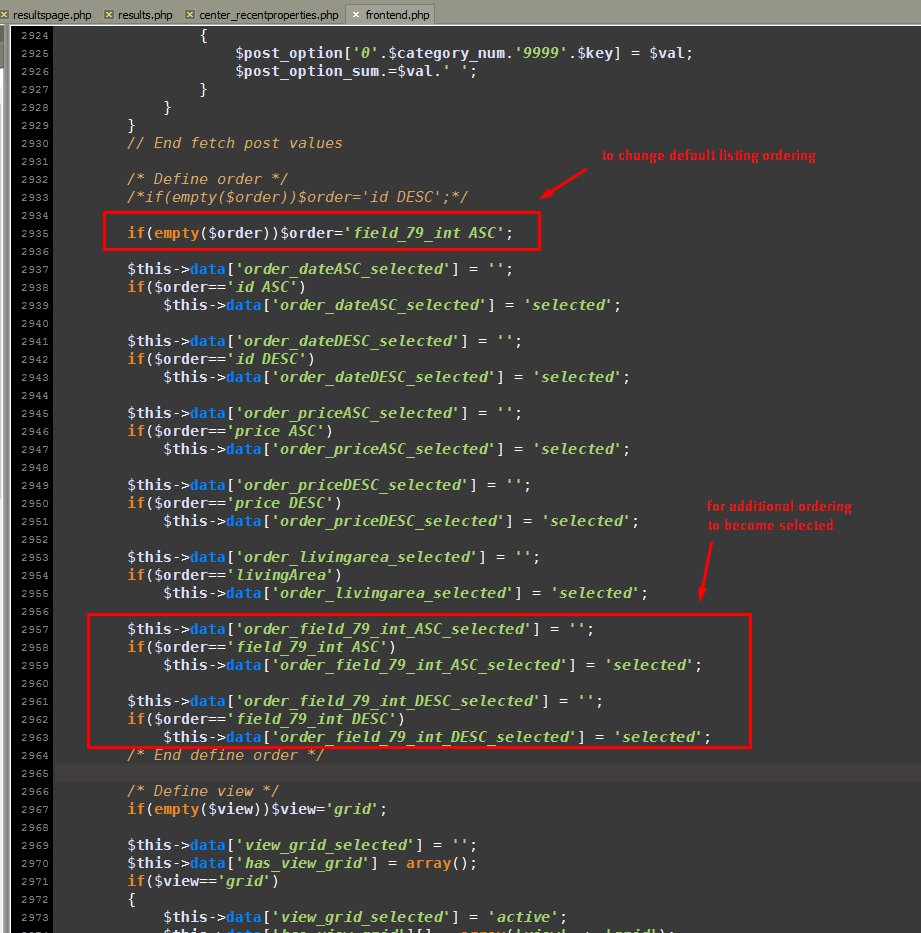
ordering_default

ordering_example_selection


You need very custom number formating?

You can enable beta feature numeric field in cms_config.php:

$config['enable_numeric_input'] = TRUE;

After that you can change field type in admin->real estate->fields->price related fields.

If you have issue with results ordering:

Please check application\models\estate_m.php, line around 592 you can find:

$value_n = str_replace("'", '', $value_n);
$value_n = str_replace("’", '', $value_n);
$value_n = str_replace(",", '', $value_n);

You can customize this code by your needs.

Example for format: #.###,00

$value_n = str_replace("'", '', $value_n);
$value_n = str_replace("’", '', $value_n);
$value_n = str_replace(".", '', $value_n); // to remove dot
$value_n = str_replace(",", '.', $value_n); // to replace , with dot

After that you should edit->save your available properties.

Regarding filters on search form:

Regarding this filters, you cahn change functionality in:
templates\bootstrap2-responsive\components\head.php, search for:

/* [START] NumericFields */

$(function() {
    <?php if(config_db_item('swiss_number_format') == TRUE): ?>
    
    $('input.DECIMAL').number( true, 2, '.', '\'' );
    $('input.INTEGER').number( true, 0, '.', '\'' );
     
    <?php else: ?>
    
    $('input.DECIMAL').number( true, 2 );
    $('input.INTEGER').number( true, 0 );
    
    <?php endif; ?>
});

/* [END] NumericFields */

 Swiss number formating

You can enable swiss number formating in cms_config.php, add:

$config['swiss_number_format'] = TRUE;

And customize example code by your wish.

You can also customize number formatting in jquery plugin code:

/ templates / bootstrap2-responsive / assets / js / jquery.number.js
Change line 139 and 140 to define the point and the comma

Link to jquery plugin which is used:

https://github.com/customd/jquery-number

How to add more results items per page?

For standard result items:

In: templates\bootstrap2-responsive\config\template_config.php

$config['per_page'] = 8;

For agents pagination:

$config['per_page_agents'] = 6;

In older script versions:

In application\config\cms_config.php you can change above code.

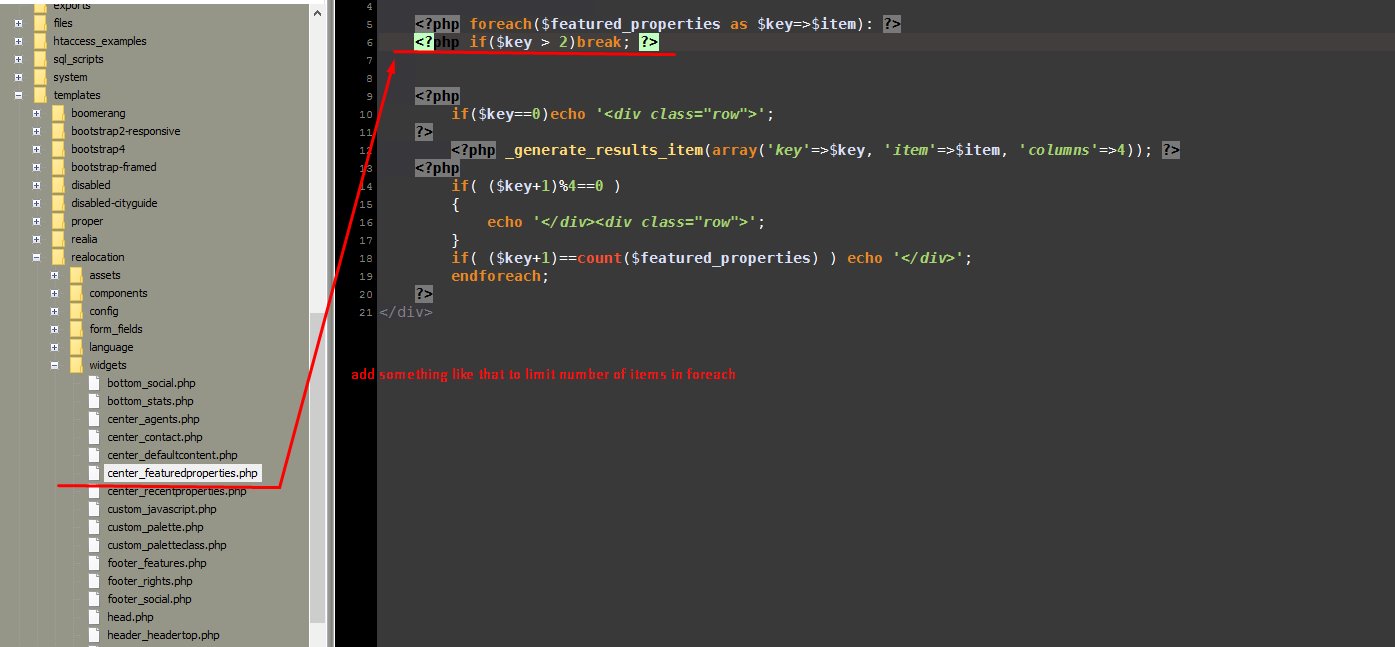
For other foreach loops example:

This will only limit results, so other will be hidden.

screenshot_5


How to remove map, slider and search?

In version >=1.5.4:

Admin->Pages->Edit->change header template

In versions <=1.5.3:

Can be done with wanted template file customizations, just remove part of code that showing map/slider/search, for example on classic page_page.php located in folder: templates\bootstrap2-responsive, remove this part:

<input id="pac-input" class="controls" type="text" placeholder="{lang_Search}" />
<div class="wrap-map" id="wrap-map">
</div>

{template_search}

Custom import script guide

Import is a big problem, because all systems are different, don’t support same fields/parameters/languages, database structure is different, export formats also. So there is no universal solution for this. I will try to help you with building import bridge script here. (SQL/PHP/XML/CodeIgniter Skills are required).

Lets say that you already have your data in some PHP array or object (this fully depends on your custom data).

Now you want create bridge script that will import this data into real estate script database.

Continue reading

How to add custom payment gateway hints

We have additional payment module whit support for authorize.net, stripe and simple invoices for manual bank payments (cost 30 EUR).
If you are interested for this module please send me message to email: sanljiljan@geniuscript.com
Some hints to build custom payments module (not easy task, good PHP knowledge required):
You should add custom links/buttons for that payments in template files where you wish, for example:
templates\bootstrap2-responsive\myproperties.php
Most frontend payment functionality is under application\controllers\frontend.php, search for “do_purchase”
If you need some backend changes then this should help:
And this should be surely help you: http://iwinter.com.hr/support/?p=1288

How to hide option in admin for specific user?

View file is application\views\admin\estate\edit.php, you should detect lines based on option type. For example if you changing for TEXTAREA (long input) then line 162…

You can for example add class hide  into:

<div class=”form-group”>

So replace it with omething like that:

<?php if($this->session->userdata('username') != 'sandi' && $val_option->id == 73): ?>
<div class="form-group hide">
<?php else: ?>
<div class="form-group">
<?php endif; ?>

In this case only user with username sandi will see option 74 field when edit property in administration…

How to change pseudo variables to php variables in template files?

Pseudo variables in standard codeigniter template variables: http://www.codeigniter.com/user_guide/libraries/parser.html

This is instructions:

{last_estates}
{/last_estates}

Should be changed to this:

<?php foreach($last_estates as $item): ?>
<?php endforeach(); ?>

And variables inside like:

{thumbnail_url}

Should be changed to:

<?php echo $item['thumbnail_url']; ?>

This for example:

{has_option_36}
{/has_option_36}

to:

<?php if(empty($item['option_36'])): ?>
<?php endif; ?>

To be hanest, I will change all pseudo variables in future to real PHP variables because cause only problems when somebody like you want to customize something, format something differently etc…